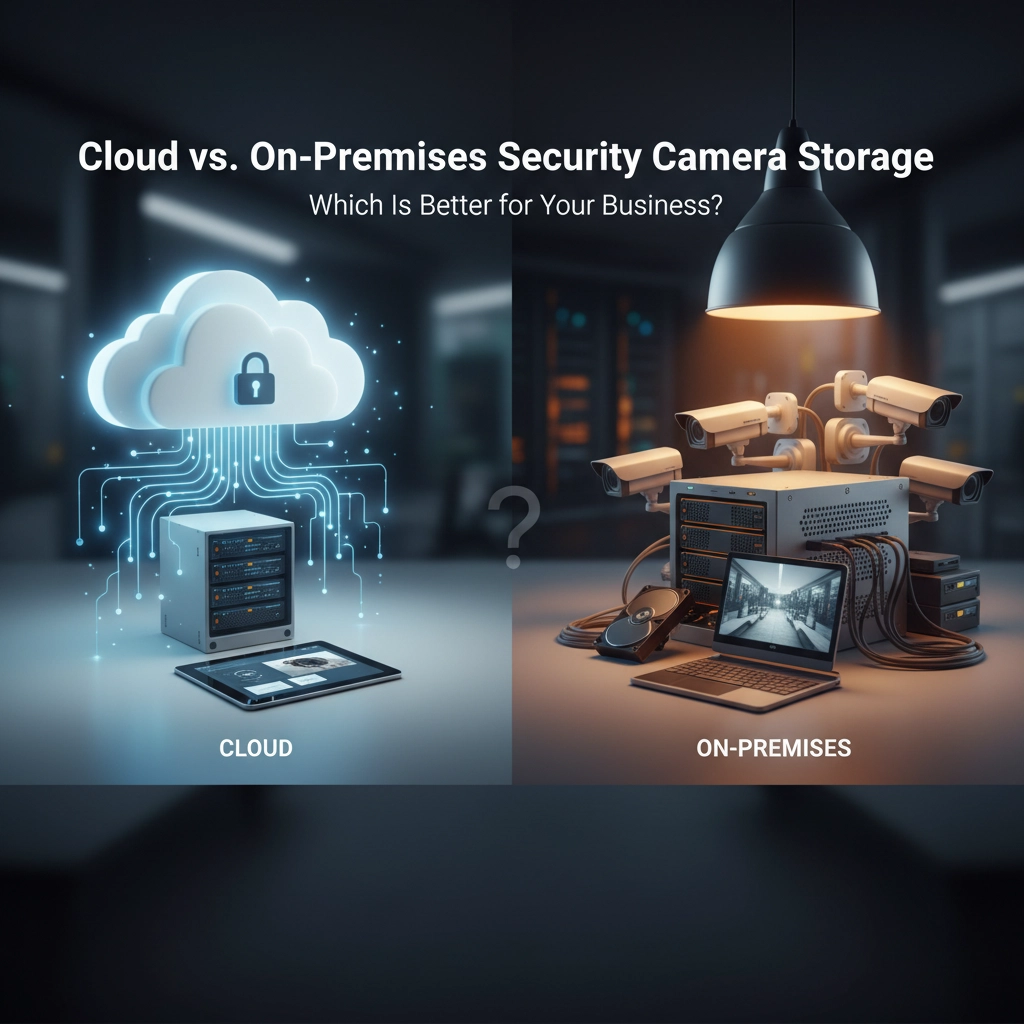
Choosing between cloud and on-premises security camera storage doesn't have to keep you up at night. Most business owners face this exact dilemma when upgrading their security systems, and here's the truth: there's no universal "best" option.
The right choice depends on your specific business needs, budget constraints, and how much control you want over your security footage. Some companies thrive with cloud solutions, while others need the iron-clad control of on-premises storage.
Let's break down both options so you can make the smartest decision for your business.
What Exactly Is Cloud Storage for Security Cameras?
Cloud storage means your security footage gets uploaded to remote servers managed by third-party providers. Instead of keeping recordings on-site, everything streams directly to secure data centers across the country.
Think of it like having a massive, invisible hard drive that you can access from anywhere with an internet connection. Your cameras record, upload the footage automatically, and you can view everything from your phone, laptop, or any connected device.
Here's what makes cloud storage attractive for many businesses:
The Big Advantages of Cloud Storage
1. Scale up or down instantly. Need more storage space? You can increase capacity with a few clicks instead of buying new hardware.
2. Access footage from anywhere. Whether you're at home, traveling, or managing multiple locations, your security footage is always available.
3. No physical space requirements. Say goodbye to server rooms and dedicated storage areas eating up valuable floor space.
4. Built-in redundancy and backup. Cloud providers replicate your data across multiple servers, so a single hardware failure won't wipe out months of recordings.
5. Automatic updates and maintenance. Security patches, software updates, and system maintenance happen automatically without any IT headaches on your end.
6. Professional-grade security. Major cloud providers invest millions in cybersecurity measures that most small businesses can't match internally.
The Downsides You Need to Consider
Ongoing monthly costs. Those subscription fees add up over time, and you'll pay as long as you use the service.
Internet dependency. No internet means no access to your footage. Even temporary outages can disrupt monitoring capabilities.
Less control over your data. You're trusting a third party with sensitive security footage, which may not work for businesses with strict compliance requirements.

What About On-Premises Storage?
On-premises storage keeps everything local. Your security footage records directly to servers, network video recorders (NVRs), or dedicated storage devices located right at your business.
You own the hardware, control the data, and manage the entire system internally. It's like having a digital vault on your property.
Why Businesses Choose On-Premises Storage
1. Complete data control. You decide who has access, how long footage is stored, and exactly where your data lives.
2. No internet required for basic functionality. Even during outages, your cameras keep recording and you can access footage locally.
3. One-time hardware investment. After the initial setup costs, ongoing expenses are minimal compared to monthly cloud subscriptions.
4. Perfect for compliance requirements. Industries with strict data residency rules often require on-premises solutions.
5. Customizable security measures. You can implement exactly the security protocols your business needs.
The Challenges of Going On-Premises
High upfront costs. Quality NVR systems, servers, and professional installation require significant initial investment.
Limited storage capacity. Once your drives fill up, you need to either delete old footage or buy more storage.
Maintenance responsibility. Software updates, hardware repairs, and system troubleshooting become your responsibility.
Physical vulnerabilities. Fire, theft, or natural disasters can destroy your entire storage system.
Remote access complications. Viewing footage from outside your location requires additional networking setup and security considerations.
Is There a Middle Ground? The Hybrid Approach
Smart businesses often combine both approaches for maximum flexibility and protection. Hybrid systems store footage locally while automatically backing up important recordings to the cloud.
This gives you the best of both worlds:
- Continuous recording during internet outages
- Cloud backup for critical footage
- Flexible storage policies (keep sensitive data local, backup general footage)
- Enhanced disaster recovery
- Optimized bandwidth usage
Which Storage Option Fits Your Business?
Choose Cloud Storage If You:
- Manage multiple business locations
- Want hassle-free maintenance and updates
- Need easy remote access for managers and security teams
- Lack dedicated IT staff or resources
- Have reliable, high-speed internet at all locations
- Prefer predictable monthly expenses over large upfront investments
Choose On-Premises Storage If You:
- Have experienced IT teams already in place
- Must comply with strict data residency regulations
- Operate in areas with unreliable internet service
- Need maximum control over sensitive footage
- Have sufficient physical space for server equipment
- Want to minimize long-term operational costs
Consider Hybrid Storage If You:
- Want backup redundancy across multiple locations
- Need compliance flexibility for different types of footage
- Experience occasional internet connectivity issues
- Operate bandwidth-sensitive applications
- Want the security of local storage with cloud convenience
The Real-World Cost Breakdown
Let's talk numbers. A typical cloud storage plan runs $5-50 per camera monthly, depending on resolution and retention periods. For a 10-camera system, that's $600-6,000 annually.
On-premises solutions require $2,000-10,000+ upfront for quality equipment, plus ongoing maintenance costs around $500-1,500 yearly.
The break-even point usually hits around year 2-3, making on-premises more cost-effective for long-term installations, while cloud storage works better for shorter commitments or rapidly changing needs.
Making Your Decision: Key Questions to Ask
1. How critical is immediate remote access to footage?
2. What's your tolerance for monthly recurring costs vs. large upfront investments?
3. Do you have reliable internet connectivity at all camera locations?
4. Are there industry compliance requirements affecting where you store data?
5. How much IT support do you have available internally?
6. What happens to your business if the storage system goes offline temporarily?
Professional Installation Makes All the Difference
Regardless of which storage approach you choose, proper installation and configuration determine whether your security system actually protects your business or creates frustrating blind spots.
Professional installers ensure optimal camera placement, configure storage settings for your specific needs, and integrate everything with your existing network infrastructure. They also handle the technical details that can make or break system performance.
At CableTel Pro, we help businesses across all industries choose and implement the right security camera storage solution. Whether you need cloud convenience, on-premises control, or a hybrid approach, we'll design a system that fits your specific requirements and budget.
Ready to upgrade your business security with professional installation and expert storage recommendations? Contact our team for a free consultation and discover which option delivers the best protection for your unique situation.